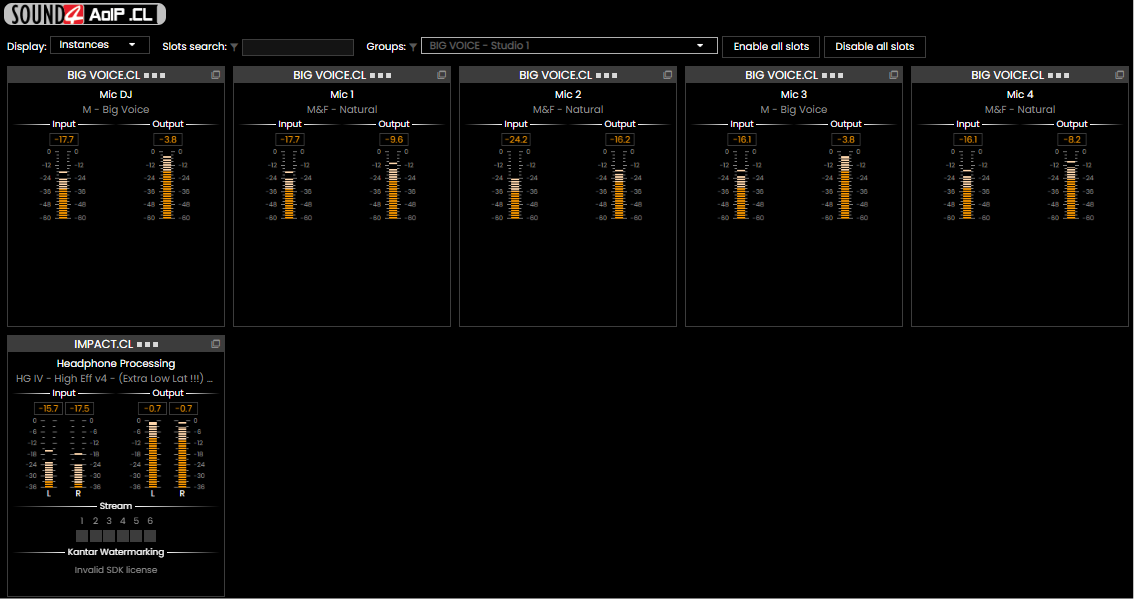


All you need for installing your BIG VOICE, IMPACT & x1 in an AoIP architecture
AoIP Download (Debian package)
Connect BIG VOICE .CL, IMPACT .CL & x1 .CL in an AoIP architecture
The main challenge for the AoIP version is achieving low latency for live applications. This requirement necessitates using the Linux operating system, there are no Windows-compatible versions.
AoIP .CL is compatible with AMD64 and ARM64 hardware
SOUND4 AoIP can be installed on any Debian-compatible distribution, from Raspberry Pi 5 to conventional PC computers or servers
We increasingly recommend using Debian versions without a graphical environment to maximize low-latency performance.
Latest Release versions v1.1.0 - 2026-10-08
AoIP .CL changelog
1.0
1.0.17
(Public - 2026-09-21)
- Keep the web interface responsive while a stream restarts
- Add support for APTmpX encoder
- Various fixes
- Security updates
1.0.16
(Public - 2026-06-18)
- Add editable application name
- Various fixes
1.0.15
(Public - 2026-06-01)
- Various fixes
- Constrain OutputName per LanMode
- Security updates
1.0.14
(Public - 2026-05-29)
- Support ST2022-7 (Ethernet redundancy)
- Improve error resilience and realtime optimisations
- Optimisation of the web interface
- Add support for Ipsos plugins
1.0.13
(Public - 2026-02-16)
- New license display screen
- ST2110-30 full support
- Security updates
1.0.12
(Public - 2025-10-28)
- Add support for future plugins (MicroMPX)
- Security updates
1.0.11
(Public - 2025-06-30)
- Detect multi-source conflicts
- HTML optimization
- Security updates
1.0.10
(Public - 2025-05-12)
- Do not change network interface automatically when not available
- Backup include plugins
1.0.9
(Public - 2025-05-06)
- Correct Livewire advertising's network interface for sending
1.0.8
(Public - 2025-05-02)
- Correct creation of initial configuration
1.0.7
(Public - 2025-04-18)
- Fixes to receive mono streams
- Corrections when stream changes
- Instances are created even without stream received
- HTML interface improvement
- Complete backup and restore of configuration, presets, streaming and watermarking
1.0.6
(Public - 2025-04-03)
- Correction for AES67 streams and SAP advertising
- Add CPU usage information
1.0.5
- First public version
Only two steps are necessary for installing SOUND4 AoIP:
- Configure SOUND4SOFT repository
wget https://deb.sound4soft.com/sound4soft-archive-keyring.deb
sudo dpkg -i ./sound4soft-archive-keyring.deb
sudo apt update- Installing SOUND4 AoIP.CL
sudo apt --install-recommends install sound4.aoip.clYou are ready now for configuring your AoIP .CL, simply access the Raspberry Pi's IP address from any computer on the same network to open the user-friendly interface (no port needed).
If you want more details or need to customize your installation, a detailed installation procedure is available here: Link